Automate AI Video Series with Approval Workflows
Automate AI video series for TikTok, Reels, and Shorts using built-in approval workflows, ensuring consistent quality and scheduled publishing.
Automating AI video series with approval workflows streamlines content production for creators scaling their presence on platforms like TikTok, Instagram Reels, and YouTube Shorts. This approach maintains quality control while leveraging AI for high-volume content generation and scheduled publishing.
Why Automate AI Video Series?
Automating video series frees significant time, enabling consistent posting without daily manual effort. This is crucial for growing faceless channels, managing multiple client accounts, or maintaining a personal brand with high content output. Key benefits include:
- Consistency: Maintain regular posting schedules, favored by algorithms.
- Efficiency: Generate content at scale without sacrificing quality.
- Scalability: Manage and expand content strategy across niches or platforms.
- Quality Control: Integrate approval steps to ensure every video meets standards before publishing.
How to Set Up an Automated AI Video Series with Approval
Setting up an automated video series with an approval workflow involves defining content parameters, scheduling, and integrating a review process. Tools like Crealix AI's Autopilot feature are designed for this, allowing recurring series that produce and publish themselves.
#### 1. Define Your Series Format and Creative Brief
First, decide on the video content type to automate. Crealix supports formats from faceless videos and talking objects to AI movies and AI Skeleton survival videos. Create a detailed creative brief outlining the theme, tone, and specific series requirements. Provide source material like URLs or free-text notes for the AI.
#### 2. Configure Variety Pools for Dynamic Content
To prevent repetitive automated series, configure variety pools. These pools allow the AI to select different voices, background music, caption styles, and visual styles for each episode. This ensures individual videos have unique elements, maintaining audience engagement while keeping the core theme consistent.
#### 3. Set Your Publishing Schedule and Destinations
Determine your desired publishing frequency and specific times. With Crealix Autopilot, set a weekly schedule with days and times in your local timezone. Connect target social media accounts (TikTok, Instagram, YouTube) for video publishing. Alternatively, opt for email delivery for manual publishing after approval.
#### 4. Implement the Approval Workflow
The approval workflow is central to automated series quality control. Crealix Autopilot automatically plans ideas and produces each episode according to your chosen format and schedule. By default, approval is *on*. This means each episode awaits your review before publishing. Watch a preview; render credits are only spent on approved videos. This ensures every content piece meets your standards before going live.
#### 5. Manage Your Content Calendar
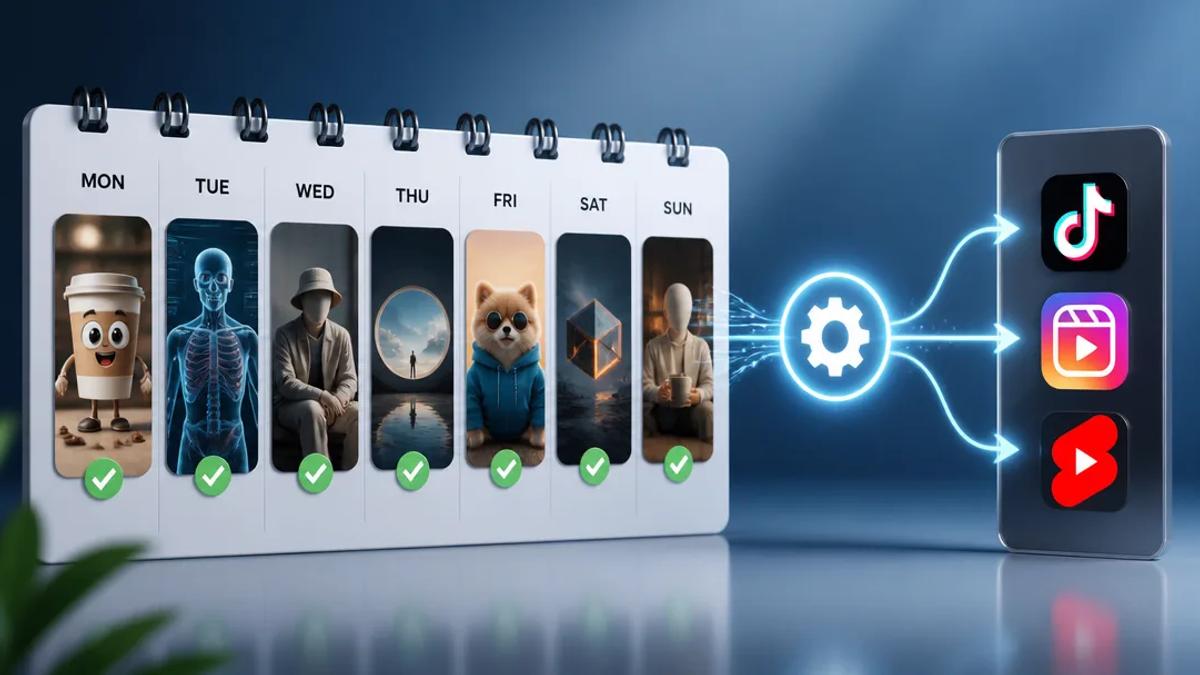
Autopilot provides a calendar view of your upcoming queue. From here, manage scheduled content: edit an idea, reorder episodes, pin specific ideas to a date, skip an episode, or trigger immediate production for urgent posts. This flexibility allows adapting content strategy while maintaining automation.
Automating with AI Assistants for Greater Control
For creators preferring a conversational approach, connecting Crealix to an AI assistant like Claude, ChatGPT, or Cursor offers another layer of automation and control. Instead of a wizard, chat with your assistant to define video needs.
After connecting Crealix to your AI assistant (connect here), request any video type in plain language. The assistant will plan the video, presenting options for voices, visual styles, captions, music, and video models as interactive cards. It will then propose a complete video (script, voice, style, cost) for your approval. Nothing is created until your go-ahead.
Once approved, Crealix generates the video through the same pipeline as the web app, with live progress updates in your chat. Review and even edit scenes directly within the chat interface before rendering the final video. Publishing to social media accounts also requires explicit approval, provided publishing permissions are enabled for that assistant. This method combines AI generation with real-time, conversational control over every detail.
Benefits of Scheduled and Approved AI Video Production
- Reduced Manual Work: Eliminate repetitive tasks like scriptwriting, visual generation, and scheduling.
- Consistent Brand Voice: Ensure all content aligns with brand guidelines through the approval process.
- Maximized Reach: Maintain a steady content flow, crucial for algorithm visibility on short-form platforms.
- Focus on Strategy: Spend less time on execution and more time on content strategy and audience engagement.
By leveraging AI tools with integrated approval workflows, creators effectively manage and scale short-form video content, ensuring both quantity and quality.