Any AI model per scene
20+ image and 20+ video models — pick the right tool per scene without leaving the project.
One scene needs cinematic motion. The next needs a hyper-stylized still. Switching tools mid-project means re-uploading assets, re-prompting, and re-syncing audio.
Studio lets you pick the right model per scene without leaving the project. The voice, music, captions, and export pipeline stay the same — only the scene you point at gets re-rendered when you change the model.
Three layers — scenes, audio, render — wired so you can iterate on one without touching the rest.
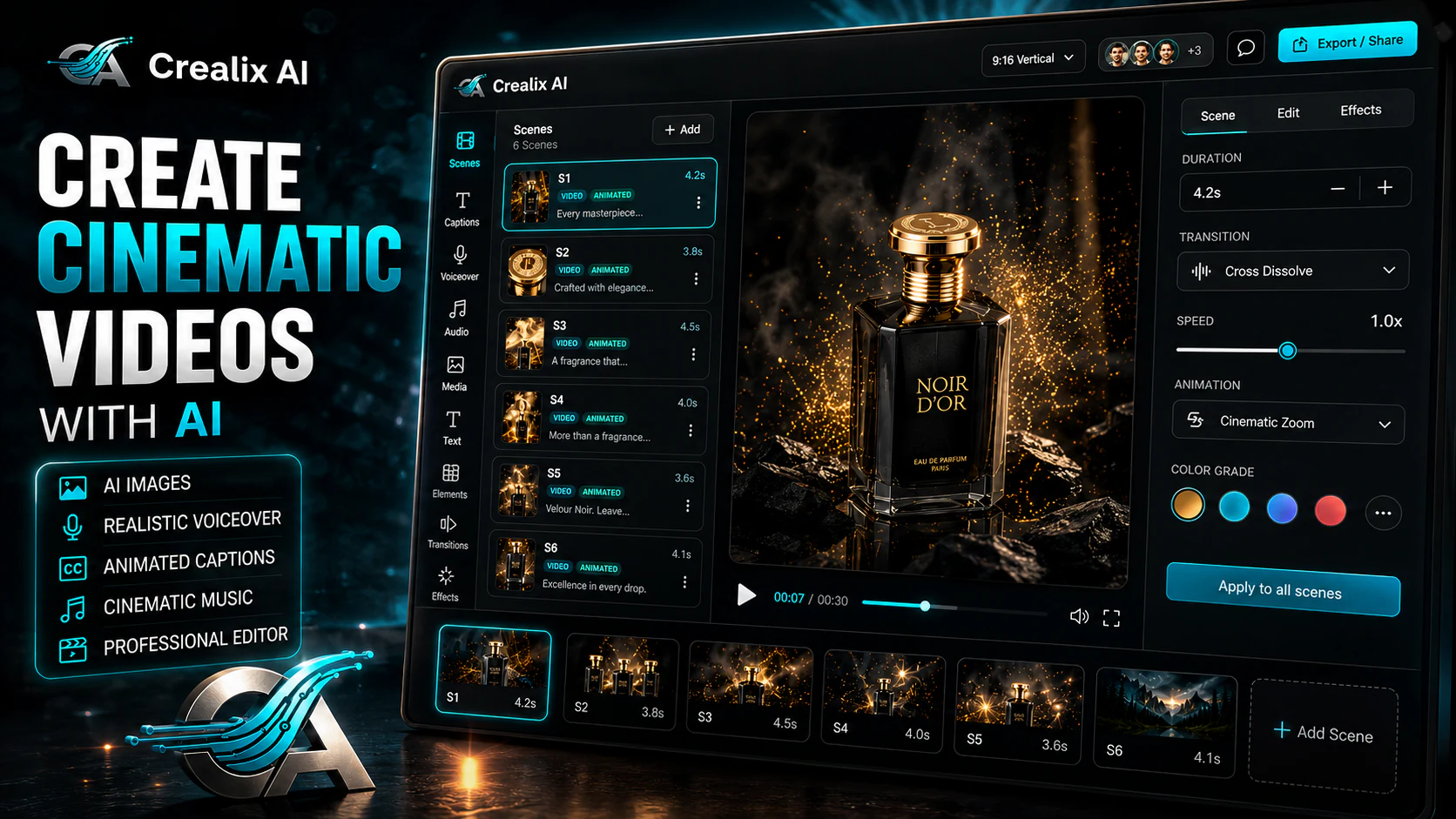
Each scene is a card: prompt, AI model, motion preset, transition. Reorder anytime.
Image scene → 20+ leading image models. Video scene → 20+ frontier video models. Mix and match within the same project.
Add premium voiceover (1,800+ voices · 30+ languages), drop background music or generate an original score.
Per-scene re-render saves credits. Export 9:16, 16:9 or 1:1 in one click.
20+ image and 20+ video models — pick the right tool per scene without leaving the project.
Don't like scene 4? Re-roll it. The other scenes stay rendered — credits and time saved.
Zoom in / out, pans, drift, circular, bounce — applied per scene.
Cut, fade, dissolve, slide, zoom — chosen per scene boundary.
1,800+ voices across 30+ languages, attached scene-by-scene with per-word caption sync.
Curated tracks or AI-generated score. Sits under voiceover, ducks automatically on render.
Polished, scene-controlled videos — finished, captioned, exportable.
When the generic tool's output isn't good enough — pick the best model for each scene and render once.
Lock prompt presets per brand. Reuse the same scene template across campaigns. Iterate per scene without re-billing the project.
Build educational videos where each section uses the model that matches the visual.
Crealix
Other AI editors
Crealix
Other AI editors
Crealix
Other AI editors
Crealix
Other AI editors
Crealix
Other AI editors
Crealix
Other AI editors