AI Assistant Video Production for Agencies: Approvals & Spend
Agencies streamline client approvals and control AI video spend using AI assistants like ChatGPT or Claude, integrated with tools like Crealix AI for high-volume, short-form content.

AI assistants are transforming how marketing agencies approach video production, especially for high-volume, short-form content. By integrating tools like Crealix AI with AI assistants such as ChatGPT or Claude, agencies can create efficient workflows for client approvals and tightly manage project budgets. This approach allows agencies to scale video output without scaling editing teams, delivering faster results and better cost control for clients.
Streamlining AI Video Production with AI Assistants
AI assistant video production enables agencies to generate video content directly through conversational interfaces. Instead of navigating complex editing software, agents can describe the desired video to an AI assistant, which then drafts scripts, suggests visuals, and initiates video generation. This significantly reduces the time from idea to first draft, ideal for agencies managing multiple client accounts and diverse content needs.
How AI Assistants Facilitate Video Creation
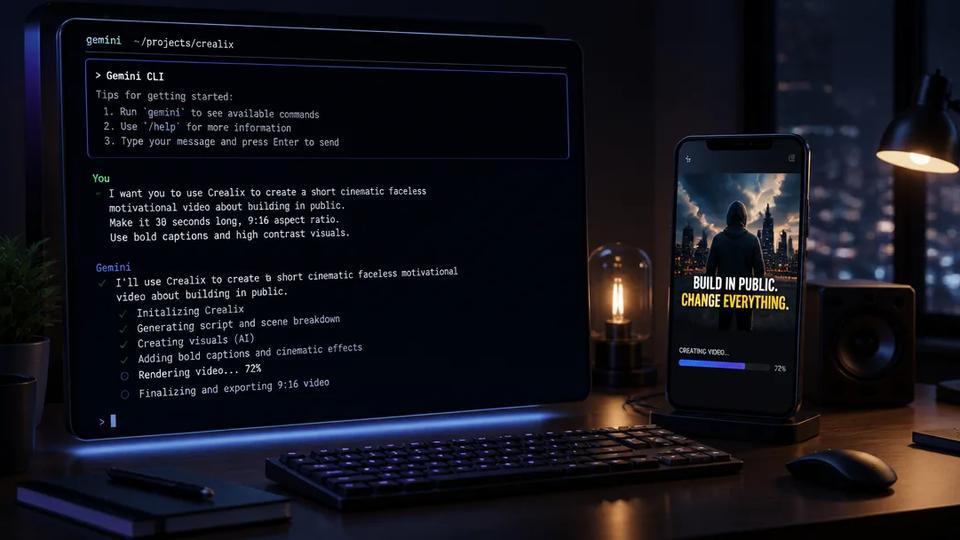
When Crealix AI is connected to an AI assistant like Claude, ChatGPT, Cursor, or other MCP clients, agencies can direct video creation through chat. The process typically involves:
- Idea Planning: The assistant plans the video based on a prompt, suggesting formats, voices, visual styles, and music.
- Proposal Generation: Crealix presents a detailed proposal (script, scenes, voice, style, cost) within the chat for review.
- Content Creation: Upon approval, Crealix generates the video scenes, which can be reviewed and refined directly in the chat or in the Crealix editor.
- Final Render & Publish: The final video is rendered and can be published to connected social accounts (TikTok, Instagram, YouTube) once approved by the agency or client.
This workflow allows for rapid iteration and feedback, crucial for agency environments. Learn more about connecting Crealix to your AI assistant at Crealix AI Connected Apps.
Managing Client Approvals in an AI-Powered Workflow
Client approval is a critical step in any agency project. AI assistant video production workflows can be structured to incorporate client feedback efficiently, ensuring transparency and control.
Integrated Approval Stages
With Crealix AI's integration, client approvals can be managed at several key points:
- Script Approval: Before any visual assets are generated, clients review and approve the AI-generated script or proposed narrative, ensuring the core message aligns with their brand and campaign goals.
- Visual Style and Voice Approval: Clients review and select from various visual styles, voices (including cloned client voices via My Voices), and music options presented by the AI assistant as interactive cards.
- Video Proposal Approval: The AI assistant provides a comprehensive proposal including the script, visual style, voice, music, and estimated cost. Agencies can forward this proposal to clients for a high-level approval before production begins.
- Scene-by-Scene Review: Once scenes are generated, agencies share previews with clients for granular feedback. Crealix allows reviewing individual scenes directly in the chat interface or within the unified editor, enabling precise adjustments without re-rendering the entire video. This is particularly useful for formats like AI Movies or Animated Stories.
- Final Video Approval: The completed video is rendered only after all previous approvals, ensuring the final output meets client expectations before publication.
This structured approach minimizes rework and ensures clients are engaged throughout the creative process, fostering trust and satisfaction.
Controlling AI Video Budget and Spend for Agencies
One of the biggest concerns for agencies adopting new technology is cost management. Crealix AI's integration with AI assistants provides robust tools for managing AI video spend, allowing agencies to set clear boundaries and track expenditures.
Setting Spending Limits for AI Assistants
Agencies can configure specific spending limits for each connected AI assistant. This is crucial for managing multiple client projects and preventing unexpected costs.
- Daily Credit Cap: Set a maximum amount of credits an AI assistant can spend per day, ensuring it won't exceed a predefined budget.
- Cost Threshold for Approval: Define a credit cost above which the AI assistant must explicitly ask for user approval before proceeding with a generation task, adding an extra layer of control for more expensive operations.
- Per-Project Tracking: Every paid action performed by the AI assistant reports its exact credit cost, providing transparent tracking for client billing and internal budget reconciliation.
This granular control helps agencies maintain profitability and ensures that AI video production remains a cost-effective solution for short-form content. For agencies running recurring content series, Autopilot also uses the same credit system, allowing consistent budget management across automated and manual productions.
Disconnecting Assistants and Adjusting Limits
Agencies retain full control over their connected AI assistants. Limits can be changed at any time, and any assistant can be disconnected instantly from the Crealix AI settings. This flexibility ensures that agencies can adapt their workflow and budget controls as client needs or project scopes evolve.
Implementing an Agency AI Video Workflow
An effective agency AI video workflow leverages the speed of AI generation while maintaining quality and client satisfaction. Here’s a typical flow:
- Client Brief: Receive a brief outlining the video's purpose, target audience, key messages, and desired tone.
- AI Assistant Planning: Use an AI assistant connected to Crealix AI to brainstorm ideas and draft initial concepts. For example, instruct it to "create a 30-second faceless video about the benefits of our client's new product."
- Proposal Review: The AI assistant presents a proposal. Review this internally, then share it with the client for initial approval.
- Video Generation: Once approved, Crealix AI generates the script, voiceover, and visual scenes. For specific formats like Talking Objects or AI Skeleton, the AI handles all character and scene generation automatically.
- Internal & Client Review: Review the generated scenes and full video preview. Request client feedback and make any necessary adjustments directly in the Crealix editor or by prompting the AI assistant for changes.
- Final Approval & Publication: After final client approval, render the video and publish it to the client's social media channels directly from Crealix AI.
This workflow can be adapted for various short-form content types, from Twitter Videos turning threads into shorts to Split Videos for reactions or comparisons.
By integrating AI assistants and intelligent platforms like Crealix AI, agencies can deliver high-quality, high-volume short-form video content more efficiently and cost-effectively than ever before. This not only enhances client satisfaction but also positions agencies at the forefront of AI-powered content creation.
Ready to streamline your agency's video production? Connect Crealix AI to your favorite AI assistant today and take control of your client workflows and budgets. Connect Crealix AI to your AI assistant.