Repurpose YouTube Shorts for Pinterest Idea Pins with AI
Repurpose YouTube Shorts into Pinterest Idea Pins using AI tools like Crealix AI to expand content reach and streamline workflows.
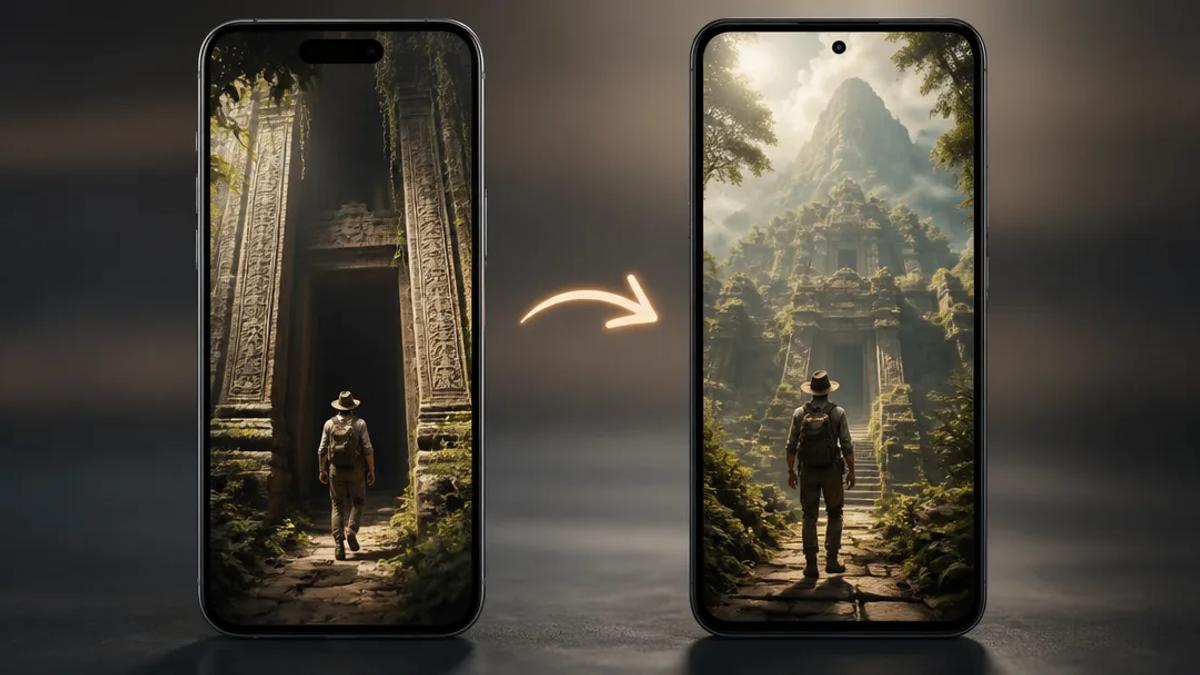
Repurposing YouTube Shorts for Pinterest Idea Pins maximizes content reach without creating new material. This strategy adapts existing short-form video for Pinterest's audience and discovery mechanisms. AI tools significantly streamline the process, automating reformatting, voiceovers, and caption generation.
Why Repurpose YouTube Shorts for Pinterest Idea Pins?
Repurposing content saves time and expands audience reach. Both YouTube Shorts and Pinterest Idea Pins thrive on short, engaging video, but serve different user intentions and discovery paths. YouTube is a search and subscription platform; Pinterest is a visual discovery engine for inspiration and planning. Adapting Shorts for Pinterest taps into an engaged audience seeking ideas, tutorials, and product recommendations.
Benefits of Cross-Posting Short-Form Video
- Increased Reach: Access new audiences with distinct demographics and interests.
- Time Efficiency: Leverage existing content, eliminating creation from scratch.
- SEO Advantages: Drive traffic to primary content (YouTube channel, website) via Pinterest links.
- Diverse Content Strategy: Present content in various formats to cater to different consumption preferences.
- Enhanced Engagement: Pinterest users save and share Idea Pins, providing long-term visibility.
Key Differences: YouTube Shorts vs. Pinterest Idea Pins
Understanding the nuances of each platform is crucial for effective repurposing, despite both utilizing vertical video.
YouTube Shorts Characteristics
- Discovery: Primarily via the Shorts feed, YouTube search, and subscriber feeds.
- Engagement: Likes, comments, shares, and watch time impact algorithm performance.
- Monetization: Ad revenue sharing (for eligible creators), Super Thanks, channel memberships.
- Call to Action: Links in descriptions, end screens, and comments (less prominent in Shorts feed).
Pinterest Idea Pins Characteristics
- Discovery: Pinterest home feed, search results, related Pins, and profile views.
- Engagement: Saves, shares, comments, reactions, and follows.
- Monetization: Primarily drives traffic to external sites (affiliate links, product pages) or brand partnerships. Idea Pins do not directly monetize like YouTube Shorts.
- Call to Action: Direct links can be added to Idea Pins, driving traffic to blogs, products, or other platforms.
- Format: Often multi-page, allowing step-by-step instructions, product showcases, or narrative sequences within a single Pin.
How AI Streamlines YouTube Shorts to Pinterest Repurposing
AI tools simplify content adaptation, making it faster and more efficient. AI handles repetitive or complex tasks involved in transforming a YouTube Short into an Idea Pin, replacing manual editing.
AI-Powered Repurposing Workflow
- Content Analysis: AI identifies key moments, topics, and potential hooks for Pinterest from existing YouTube Shorts.
- Script Adaptation: Tools rewrite or summarize the Short's script for Pinterest's direct, actionable format.
- Voiceover Generation: AI generates natural-sounding voiceovers to explain concepts for Pinterest users if the Short relies on on-screen text or music.
- Visual Enhancement: AI suggests or generates new visuals, text overlays, or short animated sequences to boost Idea Pin engagement.
- Captioning: Automated captioning ensures accessibility and provides context for silent viewing.
- Format Adjustment: AI assists in reformatting vertical video for Pinterest's aspect ratio and suggests optimal lengths for multi-page Idea Pins.
Step-by-Step: Repurposing YouTube Shorts with Crealix AI
Crealix AI offers tools to transform YouTube Shorts into engaging Pinterest Idea Pins, designed for efficient, high-volume short-form video production.
1. Extract or Upload Your YouTube Short
Obtain the video file of your YouTube Short. Upload the original file directly, or download your Short from YouTube (ensuring reuse rights).
2. Utilize Crealix AI's Script-to-Video or Stock Video Features
Leverage Crealix AI's core capabilities to rebuild and enhance content for Pinterest:
- For Shorts with a clear script: Use the Script-to-Video feature. Paste the YouTube Short's transcript. Crealix AI generates a new video with voiceover, AI-generated scenes, and captions, which can then be tailored for Pinterest. Ideal for educational or informational Shorts.
- For visually driven Shorts: If the Short showcases a product or process, use the Stock Video feature. Describe key visuals from the Short; Crealix AI assembles relevant stock footage. Add a custom script and voiceover for a Pinterest-friendly explanation.
3. Generate Voiceovers and Captions
Crealix AI automatically generates voiceovers and captions from your script. Clear narration benefits Pinterest, especially for tutorials or product explanations. Auto-captions ensure accessibility and understanding without sound.
4. Optimize Visuals and Add Text Overlays
Pinterest Idea Pins benefit from clear, concise text overlays conveying information quickly. Enhance Crealix AI-generated scenes by adding text overlays within Crealix Studio. Focus on:
- Catchy Headlines: Grab immediate attention.
- Key Takeaways: Summarize important points.
- Calls to Action: Direct viewers to your website, blog, or product page.
5. Consider Split Videos for Reaction or Comparison Content
If your YouTube Short is a reaction, comparison, or features a demonstration, Crealix AI's Split Videos feature is useful. Combine your original Short with another video (e.g., screen recording, product demo, AI avatar explaining a concept) to create a dynamic Idea Pin. This presents two perspectives or pieces of information simultaneously, a popular Pinterest format for DIYs, reviews, and tutorials.
6. Review and Export
Review the generated and optimized video within Crealix AI for clarity, conciseness, and visual appeal, ensuring it meets your Pinterest strategy. Export the video for direct upload to Pinterest as an Idea Pin.
Best Practices for Pinterest Idea Pins
Maximize the impact of repurposed content on Pinterest:
- Vertical Format: Always use a 9:16 aspect ratio for Idea Pins.
- Compelling Cover Image: Design an eye-catching cover communicating the Pin's value.
- Concise Text Overlays: Use text to highlight key points, as many users watch without sound.
- Clear Call to Action: Guide viewers on the next step (e.g., "Shop Now," "Read More," "Visit our site").
- Relevant Keywords: Include keywords in Pin titles, descriptions, and board names for improved discoverability.
- Multi-Page Pins: Utilize Pinterest's multi-page feature for tutorials or step-by-step content to tell a complete story.
- Engage with Comments: Respond to questions and foster community around your content.
Systematically repurposing YouTube Shorts into Pinterest Idea Pins with AI tools like Crealix AI amplifies content reach and engagement, transforming existing efforts into new opportunities across platforms. Try Crealix AI's video generation tools today.