Maintain Consistent Voice & Tone in AI Video Series | Crealix
Ensure your automated AI video series stays on-brand. Use creative briefs and variety pools to achieve consistent voice, tone, and style without monotony.

To maintain a consistent voice and tone in an automated AI video series, combine a detailed creative brief with a system allowing controlled variation. Instead of using identical assets for every video, which leads to monotony, define a curated palette of on-brand voices, visual styles, music, and caption formats. An automation tool can then pull from these “variety pools” for each episode, ensuring every video feels fresh yet unmistakably part of the same brand identity.
Why Brand Consistency Matters in AI Video Series
Automating short-form video production scales output, but scale without consistency dilutes your brand. When viewers encounter your content on TikTok, Reels, or Shorts, a consistent voice and tone build recognition and trust. This encourages follows and repeat viewership.
Conversely, a series with chaotic or unpredictable tone appears unprofessional. Inconsistent tone confuses the audience and weakens brand identity, hindering community building.
Core Elements of Voice and Tone in AI Video
“Voice and tone” in AI-generated video encompass several controllable elements:
- Scripting & Language: This defines your brand's personality. Is it authoritative, witty, or empathetic? The AI needs clear instructions on vocabulary, sentence structure, and point of view (e.g., second-person “you”).
- AI Voiceover: The chosen AI voice is critical. A deep, resonant narrator sets a different mood than a bright, energetic one. Consistency means selecting a primary voice or a small, curated set.
- Visual Style: The aesthetic—photorealistic, cinematic, anime, or 3D cartoon—is a powerful branding tool. Consistent visual style makes videos instantly recognizable.
- Pacing & Music: Video rhythm, dictated by scene length and background music, shapes emotional response. Action series require fast cuts and high-energy tracks; storytelling uses slower pacing and atmospheric music.
- On-Screen Text & Captions: Font, color, and animation style of captions are subtle but constant branding elements. Consistency reinforces visual identity.
Systematizing Consistency in Automated Production
Achieving consistency at scale means creating a system that produces variety within defined brand guardrails, preventing robotic or boring content.
1. Define Your Series' Creative Brief
Before generating any video, write a comprehensive creative brief. This document is the single source of truth for your AI production tool, defining:
- Core Premise: What is the series about?
- Target Audience: Who is the content for?
- Brand Voice: What is the personality? (e.g., “Expert but approachable,” “Funny and slightly unhinged”).
- Tone Guidelines: Specify the mood, including do’s and don’ts (e.g., “Do use rhetorical questions. Don’t use slang.”).
- Format: The structure of each episode (e.g., “Start with a hook, present three facts, end with a call to action.”).
This brief guides the AI in scripting and content generation, ensuring consistent foundational messaging.
2. Use Variety Pools to Prevent Monotony
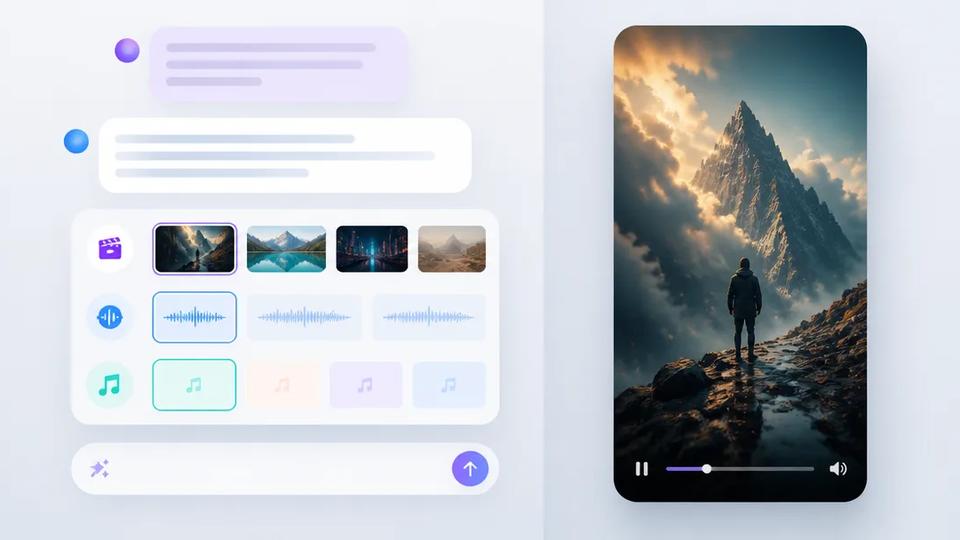
This balances consistency with freshness. Instead of locking in one voice, song, and style, define a pre-approved selection for the AI. This is a core function of advanced automation platforms.
Examples of variety pools:
- Voice Pool: 3-4 on-brand AI narrator voices.
- Music Pool: A playlist of 10-15 royalty-free tracks in a specific genre (e.g., ambient lo-fi, epic orchestral).
- Visual Style Pool: A few related visual styles (e.g., “cinematic realism,” “dark fantasy,” “photorealistic 3D”).
- Caption Style Pool: 2-3 variations of your branded caption style (e.g., different highlight colors).
For each new video, the automation system picks one item from each pool, creating a unique yet cohesive combination.
3. Practical Workflow with Crealix Autopilot
Crealix’s Autopilot supports this workflow, enabling recurring video series that plan, produce, and publish according to your brand rules.
Workflow:
- Choose Format: Select a video format like AI Skeleton for survival shorts or Faceless Video for informational content.
- Write Creative Brief: Provide a detailed creative brief in Autopilot setup to guide AI scriptwriting and topic generation for every episode.
- Build Variety Pools: Define your brand's palette by selecting multiple voices, background music styles, visual aesthetics, and caption designs. Autopilot mixes and matches these for each episode, preventing repetition.
- Set Schedule: Configure Autopilot to post on specific days and times (e.g., every Monday, Wednesday, and Friday at 9:00 AM) to connected TikTok, Instagram, or YouTube accounts.
Once set up, Autopilot manages the entire process: planning video ideas, producing episodes using unique combinations from your variety pools, and awaiting your approval. You retain final say before publishing, ensuring quality without sacrificing automation. This system automates production while maintaining brand control and freshness.
By implementing controlled variation, you can scale content production and build a strong, recognizable brand. Your audience receives consistent quality with enough freshness to ensure repeat engagement.
Ready to automate your video series effectively? Set up your first series with Crealix Autopilot to achieve brand consistency at scale.