How to Make Split-Screen Explainer Videos with AI (Fast)
Create engaging split-screen explainer videos fast with AI. Combine two clips, add AI narration, and produce tutorials, demos, and educational content efficiently.
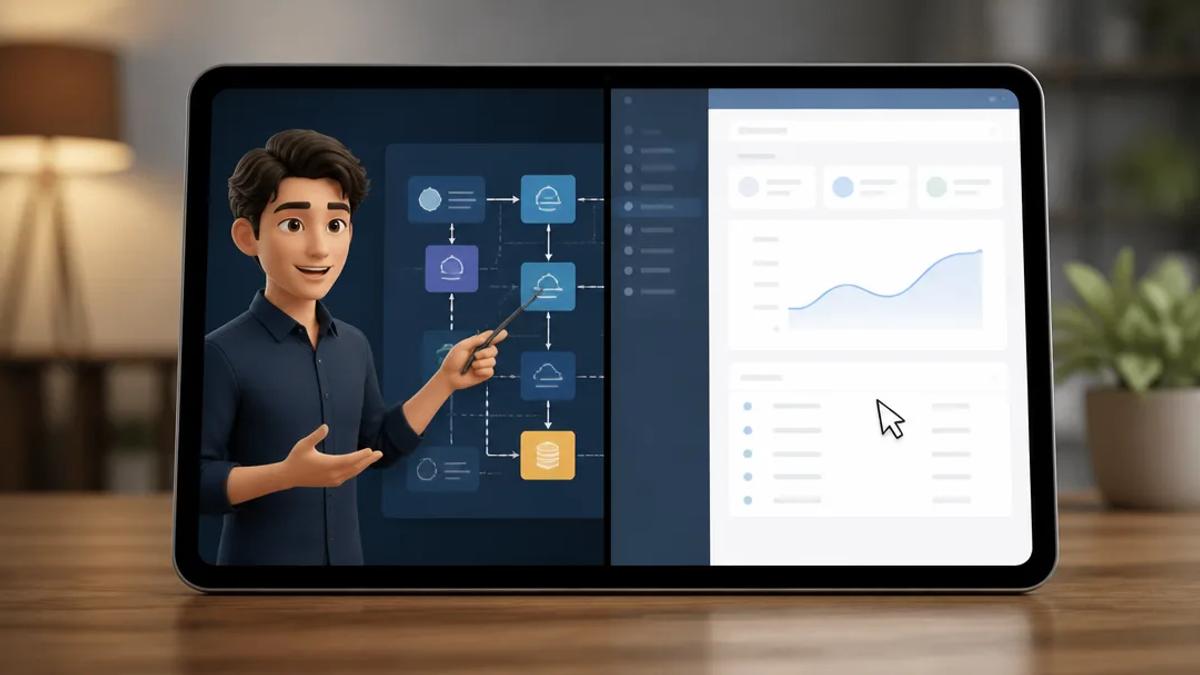
Split-screen explainer videos combine two video clips into a single, simultaneously playing frame. This format excels for tutorials, product demos, and educational content by showcasing a process and its outcome, a presenter and their subject, or a before-and-after comparison. An AI video generator streamlines this, creating dynamic content without complex editing software.
Why Use a Split-Screen Format for Explainer Videos?
Traditional video editing for split-screens involves manual clip alignment, audio track management, and keyframe layouts. An AI-driven workflow automates these tasks. The split-screen format itself is highly effective for short-form content on TikTok, Instagram Reels, and YouTube Shorts.
- Boosts Information Density: Conveys double the visual information simultaneously. For example, display a software screen recording alongside an AI avatar explaining steps.
- Improves Clarity: Ideal for demonstrating cause and effect. Viewers see an action (e.g., code being written) and its immediate result (the live app) side-by-side.
- Increases Engagement: The dual-video layout is visually stimulating, holding viewer attention longer than single shots, crucial for short-form platforms.
- Simplifies Comparisons: Directly compares two products, techniques, or outcomes without cuts, enhancing immediate impact.
Key Use Cases for AI-Powered Split-Screen Videos
This versatile format is particularly effective for popular, monetized creator content.
Software and App Tutorials
Place a screen recording of your app on one side and a talking head or AI avatar on the other. The narrator guides viewers through on-screen steps, creating clear, easy-to-follow tutorials.
Product Demos
For e-commerce and DTC brands, split-screen product demos are highly persuasive. Show a product in action on one side, while a person (or avatar) highlights benefits and features on the other. This blends practical demonstration with a sales pitch.
Educational Content
Educators can simplify complex topics. One side can feature an AI-generated animation illustrating a scientific concept, while the other provides narrated explanation. This dual-channel approach enhances comprehension.
Reaction and Commentary Content
The classic split-screen layout is fundamental for reaction videos. Display gameplay, a news segment, or another video on one side, and your commentary or reaction on the other. This format fosters audience connection through shared experience.
How to Make a Split-Screen Explainer Video with AI
Creating a split-screen video with AI simplifies the process, eliminating manual editing. Tools like Crealix AI offer a workflow designed for rapid, high-volume production of polished explainers.
The Crealix Split Video Generator combines two existing video clips into a narrated short. The workflow is as follows:
- Prepare Two Video Sources: Gather the two clips to combine. These can be Crealix projects (AI-generated explainers, AI avatar videos, short AI clips), curated footage, or uploaded videos. For tutorials, this typically means a screen recording and a narrator's video.
- Set Up the Split-Screen Layout: In the Crealix studio, select your two source videos. Choose vertical (top/bottom) or horizontal (side-by-side) orientation and adjust the split ratio with a draggable control.
- Add AI Narration and Captions: Provide a script or prompt for AI to generate high-quality narration using ElevenLabs voices. Crealix automatically creates synchronized, word-by-word captions from the narration, enhancing accessibility and engagement even when muted.
- Refine and Render: Control which video's original audio is heard (or mute both) and let the AI narration take over. Use the “Spotlight” feature to temporarily display one clip full-screen for emphasis. Crealix then renders the final video with narration, captions, background music, and sound effects.
Tips for More Engaging Split-Screen Videos
- Start with a Strong Hook: Craft a compelling opening question or statement using Crealix’s AI writer to immediately grab attention.
- Prioritize Audio Clarity: Ensure narration is clear and easy to understand with a high-quality AI voice.
- Use Spotlight Strategically: For critical details in screen recordings or product demos, use the Spotlight feature to briefly zoom in on one clip, directing viewer focus.
- Maintain Clean Visuals: Ensure both videos are high-quality. For screen recordings, text must be legible on mobile. For avatars, ensure backgrounds are not distracting.
Leveraging an all-in-one AI tool allows you to create split-screen videos from concept to completion without multiple software subscriptions or complex editing skills. The entire workflow—from generating source clips to adding narration and rendering—is integrated.
Ready to create your first AI-powered explainer? Try the Split Video generator in Crealix and produce professional-quality content rapidly.