How to Make AI Drama Videos for YouTube Shorts
Create engaging AI drama videos and animated cartoon stories for YouTube Shorts using AI. Ideal for faceless channels and narrative content.
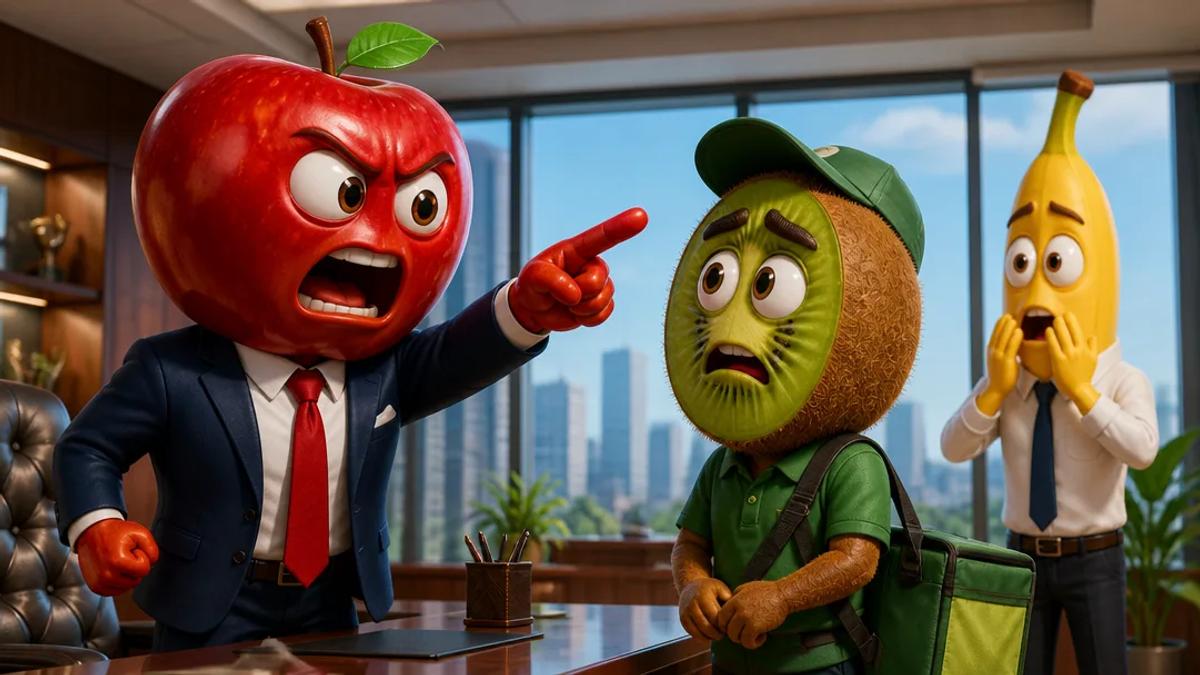
AI drama videos are short, engaging narrative content, often animated, designed for platforms like YouTube Shorts. They leverage artificial intelligence to generate scripts, visuals, voiceovers, and character animations, enabling rapid production of compelling stories without traditional animation skills. These videos are effective for building faceless channels by prioritizing story and visual appeal over a human presenter.
What are AI Drama Videos?
AI drama videos are short-form narratives where the story, characters, and scenes are primarily generated or enhanced by AI. Unlike traditional animation, which demands extensive manual effort, AI drama tools automate much of the production pipeline. This includes scriptwriting, generating visual assets (e.g., cartoon characters, backgrounds), synthesizing voiceovers, and assembling the final video with motion and captions.
These videos typically feature simplified, stylized characters and straightforward plots, optimized for quick consumption on vertical video platforms. They range from comedic skits to suspenseful mini-narratives, all crafted to capture immediate attention.
Why Create AI Drama Videos for YouTube Shorts?
YouTube Shorts, with its focus on short, vertical content, is an ideal platform for AI drama videos due to several advantages:
- High Engagement Potential: Short, narrative content is highly shareable, driving significant views and subscriptions.
- Low Production Barrier: AI tools eliminate the need for complex animation software, voice actors, or extensive editing skills, making video creation accessible.
- Scalability for Faceless Channels: AI drama enables consistent, high-volume content production for faceless channels without on-camera appearances, a common monetization strategy.
- Cost-Effective: AI-generated dramas are significantly cheaper and faster to produce compared to traditional animation or live-action video.
- Rapid Iteration: Creators can quickly test story ideas and formats, adapting to audience feedback and trends with minimal effort.
How to Make AI Drama Videos: A Step-by-Step Guide
Creating AI drama videos involves a workflow that leverages AI for various production stages. Here’s a general approach:
1. Develop Your Story Idea
Begin with a clear concept for your short drama. Consider:
- Genre: Comedy, mystery, slice-of-life, fantasy, educational.
- Characters: Define main protagonists and their traits.
- Plot: Outline conflict, rising action, climax, and resolution concisely for short-form video.
- Target Audience: Identify who you aim to reach.
AI tools can assist with ideation by suggesting plotlines or character dynamics based on themes or keywords.
2. Generate the Script
Once an idea is established, write the dialogue and scene descriptions using AI.
- Prompt an AI: Provide your story idea, character descriptions, and key plot points to an AI script generator. For example: "Write a 60-second script for a cartoon drama about a mischievous cat trying to steal a fish from a sleeping dog, with a funny twist ending."
- Refine and Edit: Review the AI-generated script for coherence, pacing, and character voice. Edit to align with your vision and fit within YouTube Shorts' typical length (under 60 seconds).
3. Create Visuals and Characters with AI
AI drama videos often feature animated or cartoon aesthetics. AI tools generate these visuals from your script or prompts.
- Character Design: Describe characters (e.g., "a grumpy old wizard with a long beard," "a cheerful young adventurer in a green tunic"). The AI will generate visual representations.
- Scene Generation: Provide setting descriptions (e.g., "a mystical forest at dusk," "a bustling futuristic city street"). The AI will create corresponding backgrounds and elements.
- Consistency: Modern AI tools are improving character consistency across scenes, crucial for narrative coherence.
4. Produce Voiceovers and Sound Effects
AI voice generators convert your script into natural-sounding speech for each character.
- Select Voices: Choose distinct AI voices for each character to differentiate them. Platforms offer various accents, tones, and speaking styles.
- Generate Audio: Input your script, assign voices to dialogue lines, and generate voiceover tracks.
- Add Music and SFX: Incorporate background music and sound effects to enhance emotional impact. AI music generators can create original tracks tailored to your video's mood.
5. Assemble and Animate the Video
This stage integrates all generated elements. AI drama tools automate motion.
- Scene Sequencing: Arrange visuals and voiceovers according to the script's flow.
- Automated Motion: AI can add subtle movements, facial expressions, and transitions based on script and audio cues. For cartoon videos, this includes lip-syncing and simple character movements.
- Captions: Automatically generate and add captions (subtitles). This is essential for accessibility and viewers watching without sound on Shorts.
6. Render and Publish
Once satisfied, render your AI drama video in the appropriate format for YouTube Shorts (9:16 aspect ratio) and upload it.
Crealix AI: Your AI Drama Video Generator
Crealix AI offers a streamlined solution for creating AI drama videos, specifically for short-form content. With Crealix AI's AI Dramas feature, the process is prompt-driven and highly automated:
- Provide Your Idea: Start with a prompt or brief idea for your drama. The AI generates a script based on your input.
- Automated Production: Crealix AI then automatically generates cartoon-style visuals (characters, scenes), synthesizes voiceovers, and adds captions.
- Render and Export: The platform renders the complete, narrated, and subtitled short-form video, ready for upload to YouTube Shorts or other platforms.
This approach eliminates manual animation, character rigging, or intricate editing, allowing creators to focus on storytelling and produce a high volume of engaging narrative content.
Tips for Successful AI Drama Videos on YouTube Shorts
- Hook Early: Grab attention within the first 3-5 seconds with a compelling visual or intriguing dialogue.
- Keep it Short: Aim for videos under 60 seconds, ideally 15-30 seconds, to maximize watch time.
- Clear Story Arc: Even in short dramas, a simple beginning, middle, and end ensures viewer comprehension.
- Consistent Theme/Characters: For a faceless channel, maintaining a consistent style, character set, or thematic niche builds brand recognition.
- Optimize for Vertical: Always produce in a 9:16 aspect ratio for mobile viewing.
- Use Captions: Many viewers watch Shorts with sound off. Captions are crucial for conveying your story.
- Engage with Comments: Respond to viewers to foster community around your narrative content.
By leveraging AI tools, creators can tap into the demand for engaging narrative content on YouTube Shorts, building successful channels with minimal effort and technical skill.
Ready to create your own AI drama videos? Try Crealix AI's AI Dramas feature today.