Design a Custom AI Voice for Your YouTube Shorts Channel
Craft a unique AI voice for your YouTube Shorts. Personalize accent, age, and delivery for your faceless channel with Crealix My Voices to boost brand identity.

Creating a distinct identity for your YouTube Shorts channel, especially a faceless one, often hinges on a unique voice. While many AI voice generators offer standard options, designing a custom AI voice allows you to stand out. This approach builds brand recognition and connects more deeply with your audience by delivering content in a voice that's truly yours, or perfectly suited to your channel's persona.
Why Design a Custom AI Voice for YouTube Shorts?
A custom AI voice offers several advantages for YouTube Shorts creators:
- Brand Consistency: A unique voice becomes instantly recognizable, reinforcing your channel's brand across all content.
- Audience Connection: A voice tailored to your niche resonates more effectively with your target audience.
- Differentiation: In a crowded space, a custom voice helps your content stand out from channels using generic AI voices.
- Flexibility: Fine-tune voice characteristics—accent, age, delivery—to match specific video themes or series.
- Scalability for Faceless Channels: For channels relying on narration without showing a face, a consistent, custom voice is crucial for maintaining viewer engagement and trust across high-volume daily uploads.
How to Design a Custom AI Voice
Designing a custom AI voice involves defining its key characteristics to achieve a specific sound. Tools like Crealix AI allow you to generate voices based on descriptive parameters.
Step 1: Define Your Voice's Persona
Before generating, consider the personality you want your voice to convey. Ask yourself:
- What is the channel's tone? Educational, humorous, serious, or inspirational?
- Who is the target audience? What voice would they respond best to?
- What character does this voice represent? A wise mentor, quirky storyteller, calm presenter, or energetic host?
Step 2: Specify Accent, Age, and Delivery
These three parameters are fundamental in shaping your custom AI voice:
- Accent: Decide on a regional or national accent that fits your channel's identity. Options include American English (General, Southern, New York), British English (RP, Cockney), Australian, Irish, or specific non-English accents for multilingual content.
- Age: AI voices can sound youthful, middle-aged, or elderly through pitch, cadence, and vocal texture. This conveys maturity, energy, or wisdom.
- Delivery: This describes the manner in which the voice speaks. Common delivery styles include:
- Calm and soothing: Ideal for meditation, educational, or storytelling content.
- Energetic and enthusiastic: Great for reviews, gaming, or motivational content.
- Authoritative and clear: Suitable for news, tutorials, or deep-dive analyses.
- Friendly and conversational: Perfect for vlogs, personal stories, or casual discussions.
Step 3: Generate and Refine Your Voice with Crealix AI
Crealix AI's My Voices feature allows you to design a new voice from a written description. You provide the parameters, and the AI generates candidate takes for review.
- Describe the Voice: In Crealix, navigate to Settings › My Voices. Describe the voice, focusing on accent, age, and delivery. For example, "A calm, middle-aged British female voice with a clear, educational delivery." An "Enhance" button can refine your description and suggest sample lines.
- Listen to Takes: Crealix generates three candidate takes based on your description. Listen carefully, assessing how well each matches your desired persona.
- Save Your Favorite: Select the take that best fits your vision and save it. This custom voice will then be available in all Crealix video creation wizards, including for faceless videos, AI Movies, Twitter Videos, and Autopilot series.
Crealix also offers the option to clone your own voice from a 20-second recording, allowing you to narrate any Crealix format with your unique timbre and pace. This is available for paid plans (Starter and up) and supports 10 languages.
Integrating Your Custom AI Voice into YouTube Shorts Production
Once you've designed your custom AI voice, integrating it into your YouTube Shorts workflow is straightforward with Crealix AI.
For Individual Shorts
When creating a new video project, such as a script-to-video or a talking objects video, simply select your custom voice from the "My voices" section in the voice picker. Crealix will then generate the narration for your video using your chosen voice, ensuring word-level captions stay in sync.
For Automated Series with Autopilot
For creators running faceless channels at scale, Crealix's Autopilot feature can leverage your custom voice to produce recurring video series. When setting up an Autopilot series, include your custom voice in the "variety pools" for voices. This ensures Crealix uses your unique voice for episodes, maintaining brand consistency while allowing for variety in visual styles, music, and caption styles. Autopilot plans and produces episodes ahead of time, awaiting your approval before publishing at your scheduled minute.
Via AI Assistants (MCP Connector)
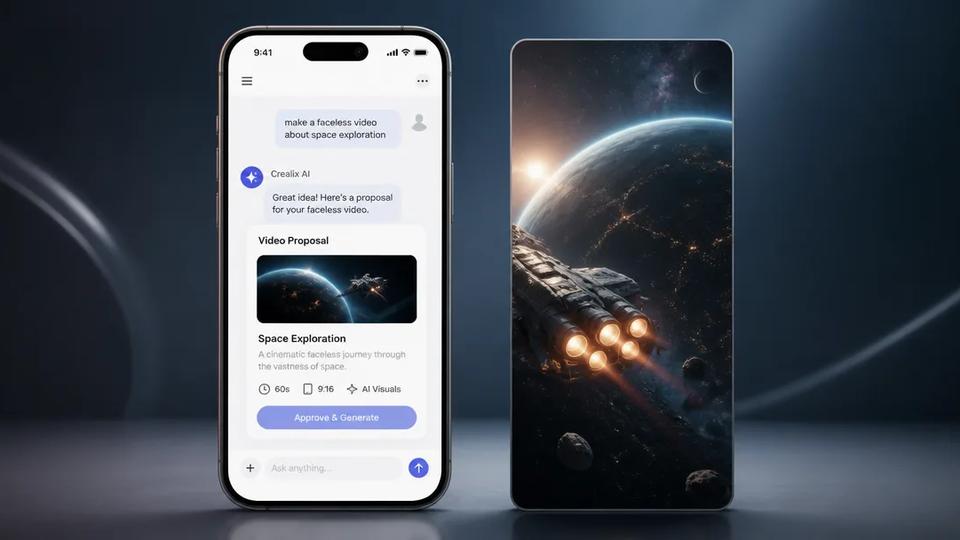
If you prefer to work through AI assistants like Claude or ChatGPT, Crealix's MCP connector allows you to make videos by chatting. After connecting Crealix to your assistant and setting spending limits, instruct it to use your custom voice. For example, "Make a 60-second faceless video about space exploration, using my custom 'Narrator Pro' voice." The assistant will propose the video, and after your approval, Crealix will generate it with your designed voice.
Start Designing Your Custom AI Voice Today
Designing a custom AI voice is a powerful way to define your YouTube Shorts channel's identity and engage your audience. Whether building a faceless channel or seeking a unique sound, tools like Crealix AI provide the flexibility to create and integrate personalized narration into your content production workflow. Ready to give your channel a voice that's truly yours? Start designing your voice for free and explore the possibilities.